Managing Jobs
Defining a Job Analysis before scoring candidates is optional - you can create a job 'on the fly' prior as part of the scoring process. However there are times when a separate job analysis can be useful eg;
- To ensure the key requirements are specified
- To add requirements not in a job ad such as late breaking developments or adjacent to the core requirements
- You would like to provide them as part of a report or email to other members of the recruiting team.
Each analysis extracts, structures, and stores the requirements from a job description so that resumes can be assessed consistently.
Creating a Job Analysis
Step 1 – Input Job
To create a job analysis:
- From the sidebar, click Job Analysis
- This will start the Job Analysis wizard
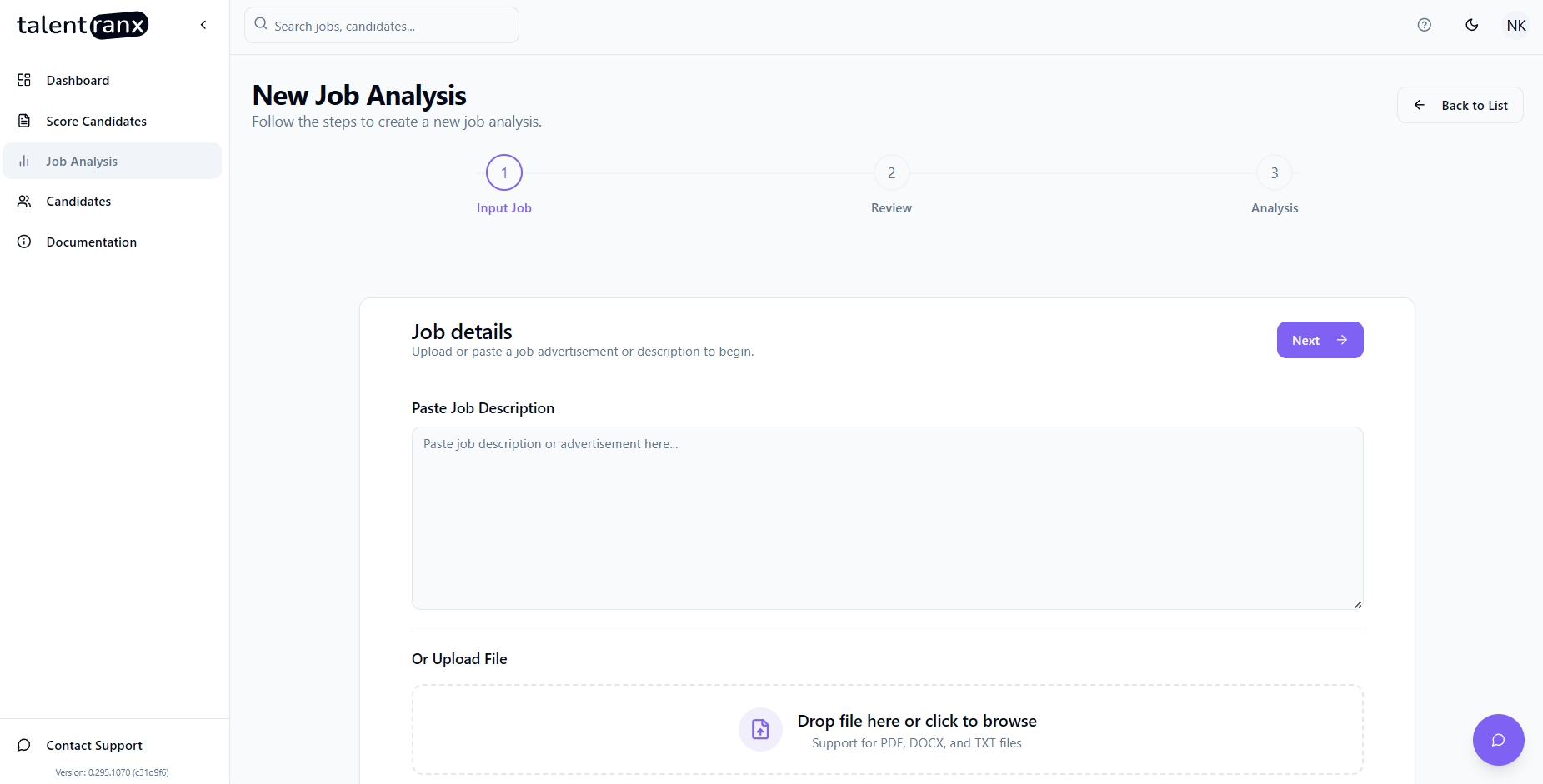
In Step 1 of the Job Analysis wizard, you can create a new Job Analysis in two ways:
- Paste Job Description – Copy the full job ad text into the provided editor.
- Upload File – Upload a PDF, DOCX, or TXT file containing the job description.
If you paste the job text, formatting is not important. This includes additional details from a job board such as buttons, links or even short blurbs of other jobs - Talentranx will normally identify the main job on the page and format it.
Click Next to proceed.
Step 2 – Review Job
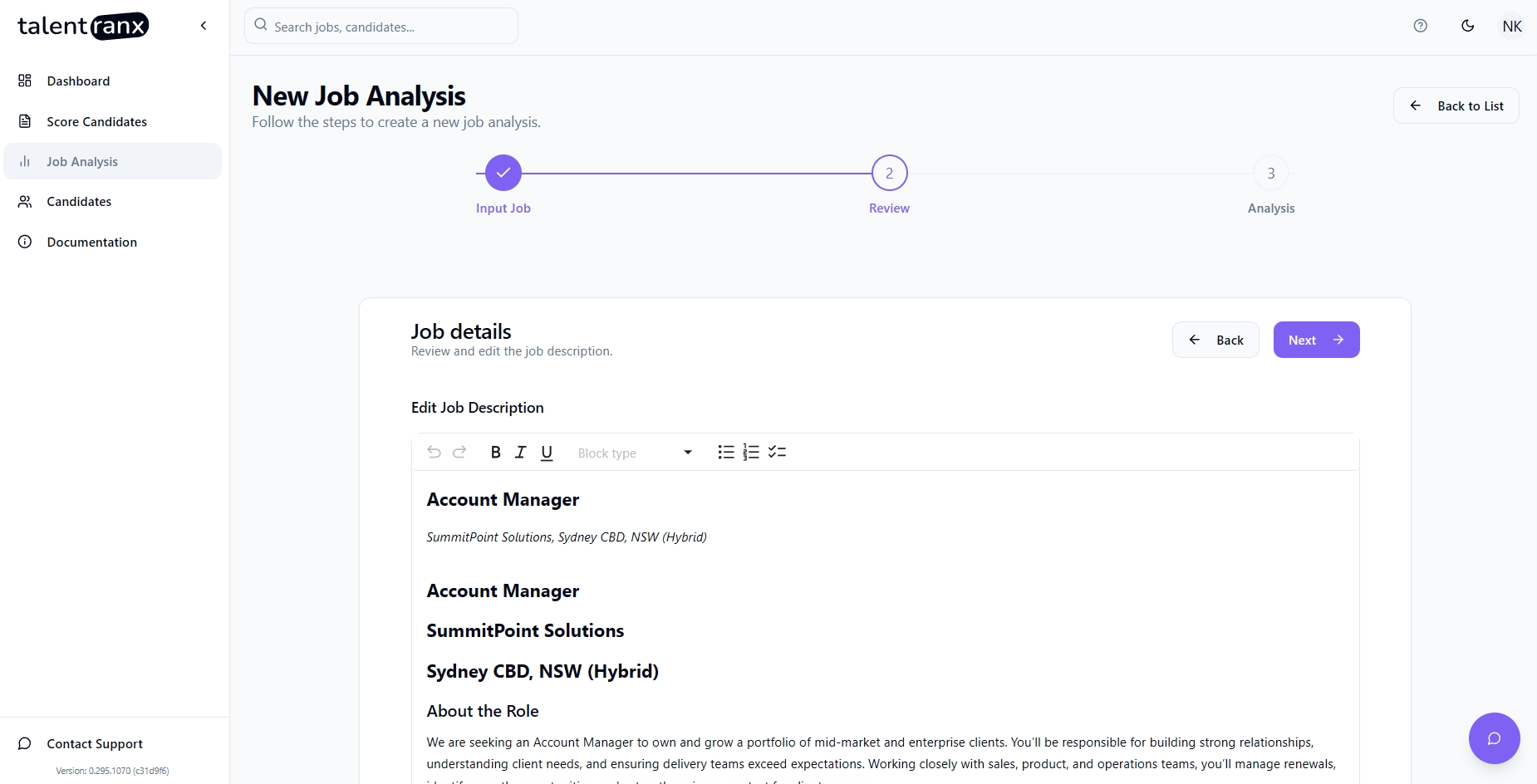
The system automatically formats and structures your pasted or uploaded job description for clarity.
- You can optionally edit the text to correct any errors or formatting issues - however it is possible to customise requirements in the following step
- Ensure all role details (title, company, location, requirements) are present.
Click Next to begin analysis.
Step 3 – Analysis
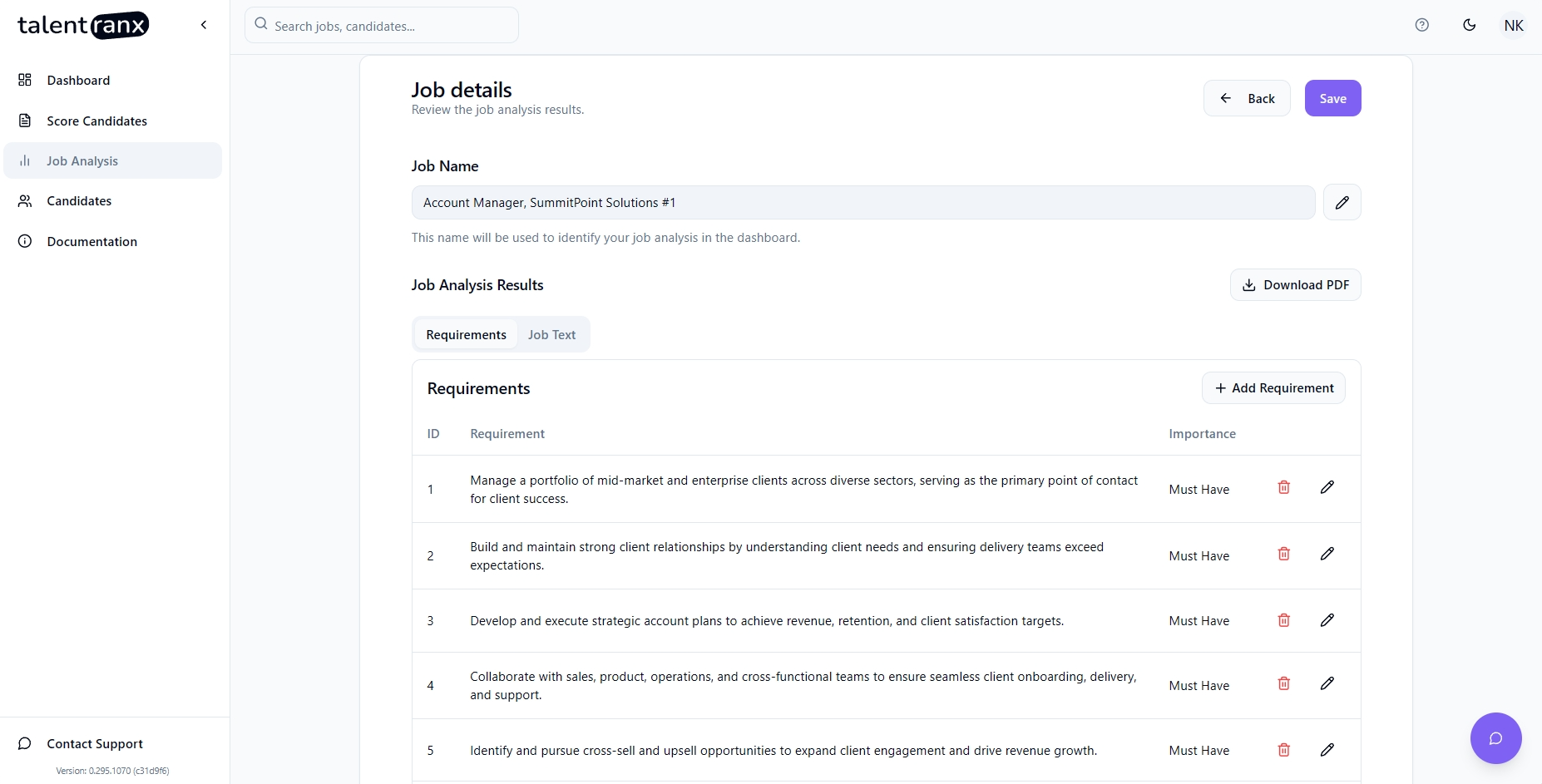
TalentRanx uses AI to extract:
- Requirements – Responsibilities, deliverables, skills, qualifications.
- Importance – Whether the requirement is Must Have, Desirable or Bonus as extracted from the job text. You can change this.
You can:
- Edit a Requirement – Click the pencil icon to adjust the text or change importance.
- Delete a Requirement – Click the trash icon to remove it.
- Add New Requirement – Use the “+ Add Requirement” button.
Editing Existing Job Analyses
To update a saved Job Analysis:
- Go to Job Analysis in the sidebar.
- Select the job you want to edit.
- Update requirements, importance levels, or the job text as needed.
- Save changes to apply them to future scoring sessions.
Reusing Job Analyses
- Existing analyses can be selected in the Score Candidates wizard, allowing you to skip the job input and review steps.
- This is ideal for scoring multiple candidate batches against the same role - you can uniquely name each batch separately.
Tips
- Keep requirement wording clear and measurable for better AI matching.
- Adjust importance levels to reflect real hiring priorities.
- Review extracted requirements for completeness before scoring candidates.