Understanding candidate scores and role fit
Open a completed candidate from a scoring review, or open their assessment from Candidates, to view the Resume Assessment.
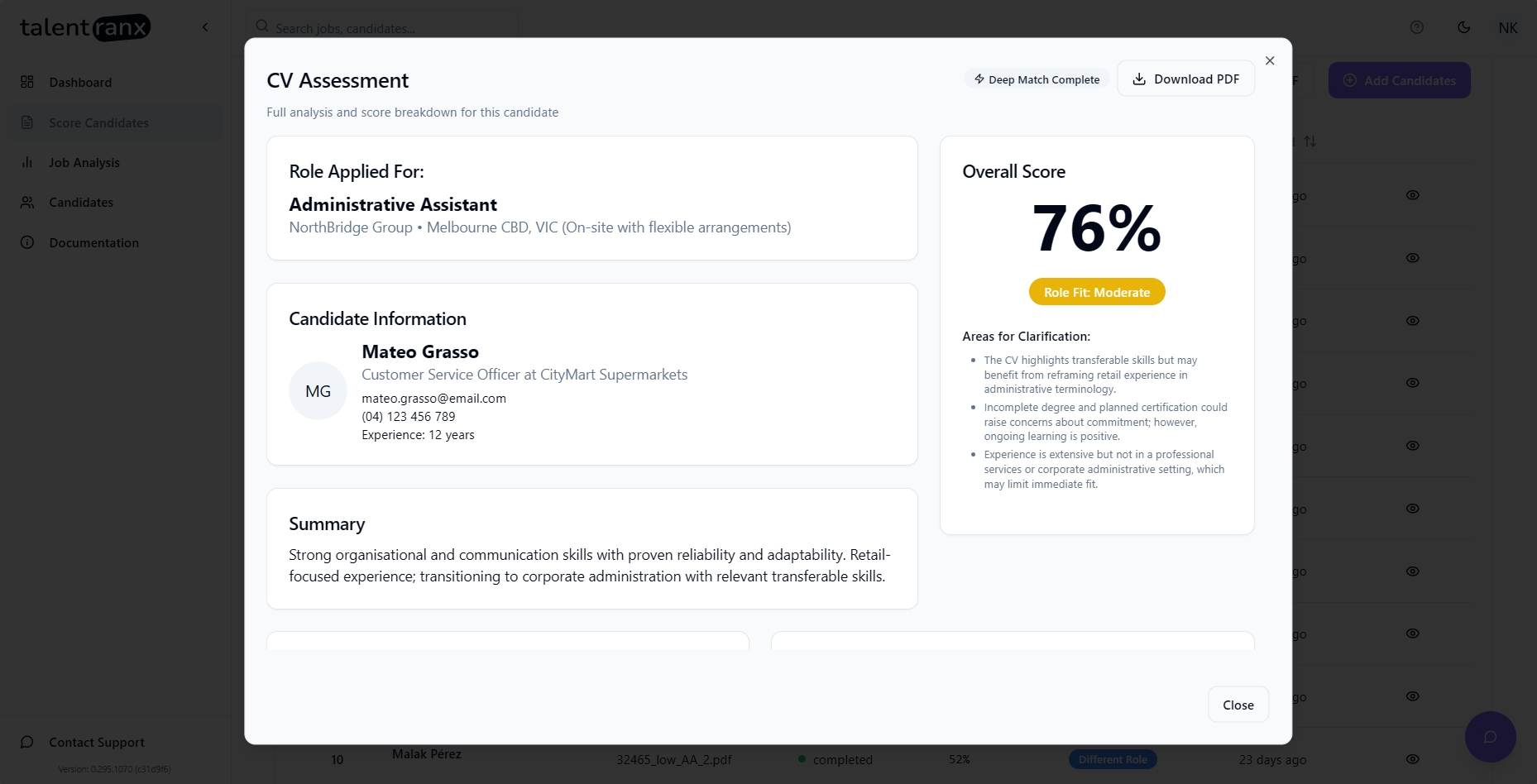
The Resume Assessment brings together the candidate's overall result, the evidence behind it, and decision-support insights that can help you decide whether to progress the candidate and what to explore further.
AI can make mistakes, so review the supporting evidence before using the assessment in a hiring decision.
Resume Assessment tabs
The Resume Assessment has two tabs:
-
Overview — summarises the candidate's overall fit and highlights the most useful information for making and validating a hiring decision.
-
Requirements Matches — shows the detailed requirement-by-requirement assessment used to evaluate the candidate.
Some sections in Overview appear only when relevant information is available in the CV or the assessment identifies a useful decision-support insight.
Overview
A sample Overview results card is provided below for reference and each card is explained in the following sections.
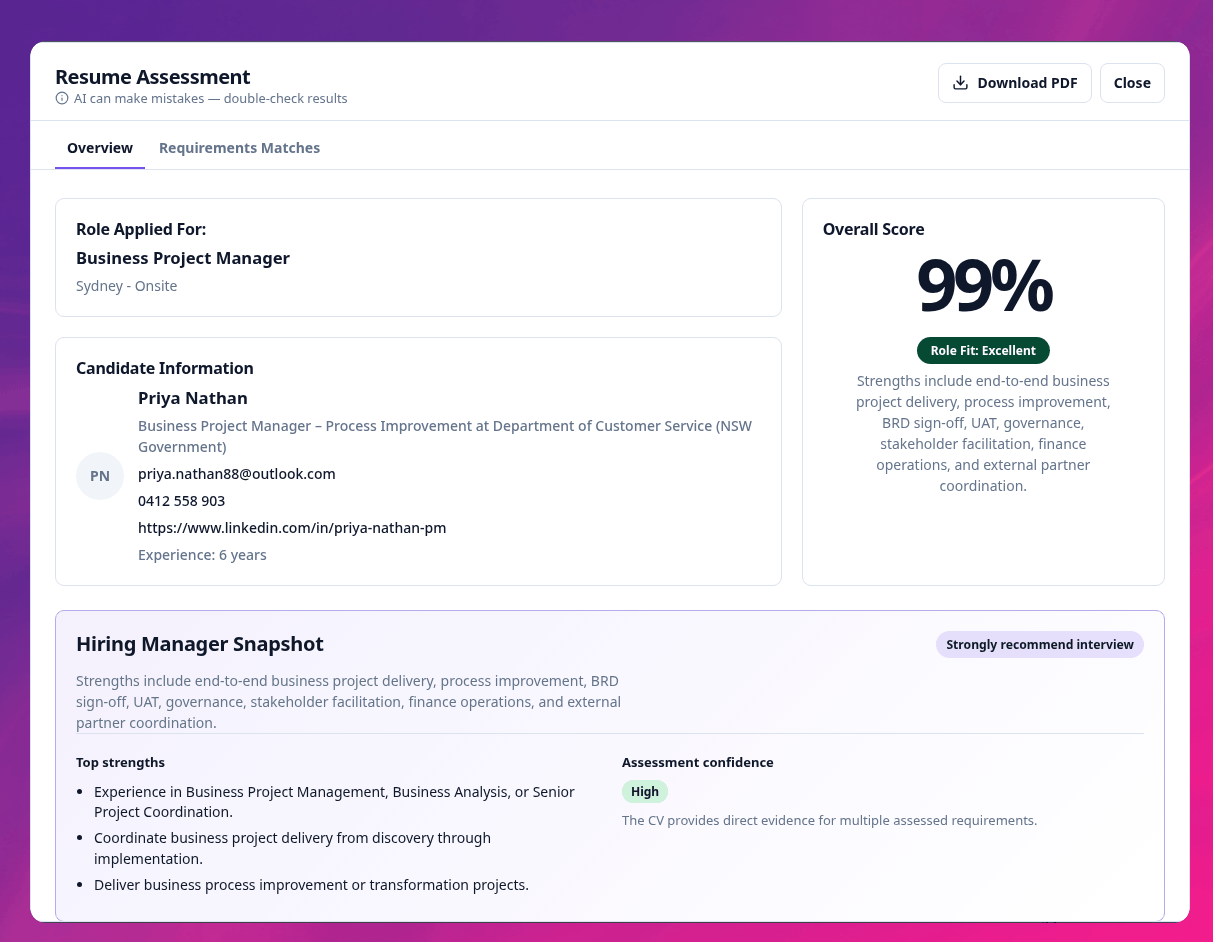
Role Applied For
Shows the job being assessed, along with the organisation and location where available.
Candidate Information
Shows information extracted from the CV, including the candidate's name, current role, contact details, LinkedIn profile, and stated years of experience where available.
Overall Score
Shows the candidate's overall percentage score out of 100, their role-fit band, and a short summary of their fit for the role.
The overall score represents the candidate's assessed match against the requirements saved with that review.
The role-fit band comes from the candidate rating rule selected when the review was created. The organisation's default rule uses these bands:
-
Low: 0–49
-
Different Role: 50–69
-
Moderate: 70–84
-
High: 85–100
Your organisation can create different candidate rating rules with different labels and score thresholds. Each review retains the rule that was selected when the review was created.
Hiring Manager Snapshot
Provides a concise decision summary designed to help you quickly understand the candidate's suitability.
The snapshot can include:
-
an interview recommendation based on the assessment;
-
the candidate's top strengths relevant to the role; and
-
assessment confidence, indicating how much direct evidence in the CV supports the assessment.
The recommendation is decision support rather than an automatic hiring decision. Review the supporting evidence and apply your own judgement before progressing or rejecting a candidate.
Evidence Summary
Summarises the strength of the evidence supporting the assessment, including:
-
requirements that are strongly evidenced;
-
requirements that are moderately evidenced; and
-
the number of mandatory requirements satisfied.
This provides a quick view of how much of the role is directly supported by evidence in the CV before you examine individual requirements.
Why this score?
Explains the main factors contributing to the candidate's overall score.
This can include the number of strong and moderate requirement matches and any mandatory requirements where the available evidence still needs validation.
Use this section alongside the detailed Requirements Matches rather than treating the overall percentage as a standalone measure of suitability.
Hiring Risks
Highlights potential hiring concerns identified from the available evidence and groups them by risk level.
Risks may include issues such as a possible seniority mismatch or an important requirement that is not clearly demonstrated.
These are points to investigate, not automatic reasons to reject a candidate. A CV may simply not contain enough information to resolve the issue.
Requirements Worth Exploring
Identifies individual role requirements where the CV provides weaker, partial, or unclear evidence.
Each item includes the requirement score and an explanation of why further validation may be useful.
These areas can be particularly useful when deciding what to explore during an interview.
Transferable Experience
Highlights relevant experience that does not directly meet a stated requirement but may demonstrate adjacent or transferable capability.
For example, a candidate may not have experience in the role's specific industry but may have performed similar work in another highly regulated environment.
Transferable experience is identified separately from a direct requirement match so you can consider its relevance rather than assuming it fully satisfies the requirement.
Seniority Assessment
Where sufficient information is available, compares the candidate's apparent seniority with the level expected for the role.
The assessment explains whether the candidate appears broadly aligned, more senior, or less senior than the position and highlights any implications worth validating.
Seniority differences are not automatically positive or negative. They may instead prompt questions about the candidate's motivation, expectations, responsibilities, or suitability for the scope of the role.
Suggested Interview Focus
Provides targeted topics and suggested questions based on the assessment.
These are intended to help interviewers validate:
-
weaker or partially evidenced requirements;
-
important information that is unclear from the CV;
-
identified hiring risks; and
-
other areas where additional evidence could materially affect the hiring decision.
The questions are starting points and can be adapted to suit your interview process.
Employment History
Lists previous roles and employers extracted from the candidate's CV.
Education
Lists education, qualifications, certifications, and other learning details extracted from the CV.
Requirements Matches
The Requirements Matches tab provides the detailed evidence behind the candidate assessment.
Requirements Matching
Each role requirement is assessed individually against evidence available in the candidate's CV.
The table includes:
-
ID — the requirement number.
-
Requirement — the capability, experience, qualification, or other criterion required for the role.
-
Importance — how important the requirement is to the role.
-
Fit — the level of evidence identified for the requirement, such as Met, Partial, or Not Met.
-
Score — the candidate's score for that requirement, out of 10.
-
Justification — an evidence-based explanation of why that score was assigned.
Use the requirement-level assessment to understand the evidence behind the overall result rather than relying on the overall score alone.
Interpreting missing evidence
Talentranx assesses the information available in the candidate's CV. It cannot assume experience or capability that the CV does not demonstrate.
This distinction is important:
Missing evidence is not necessarily evidence of missing capability.
A Partial or Not Met result may mean the candidate does not have the required experience, but it may also mean their CV does not contain enough information to demonstrate it.
Use Requirements Worth Exploring, Hiring Risks, Suggested Interview Focus, and the detailed requirement justifications to identify areas that may warrant further investigation before making a final decision.
Candidate history
The Candidates page groups completed assessments by candidate. Select a candidate to see their assessment history across reviews, then open an assessment to view its full detail.
Export
Select Download PDF from the Resume Assessment to export an individual candidate assessment.
The completed review also provides Download PDF for exporting the ranked candidate list.