Scoring Candidates
Use Score Candidates to create an evidence-based review for multiple CVs against an analysed job, or against a job ad or description pasted for that review. Adding multiple CVs to a single review lets you assess a candidate group against the same job and rating rule.
Start a review
- Select Score Candidates in the sidebar.
- Select Score Candidates again from the review list.
- In Job description, choose one of the following:
- Use analysed job and select an entry from Analysed job.
- Paste new job and paste a job ad or description for this review.
- Check or change the automatically suggested Review name.
- Select the Candidate rating rule to save with this review. The rule is then used for every candidate added to it.
- Leave Anonymise candidate details before scoring selected unless you need the assessment to retain those details during scoring.
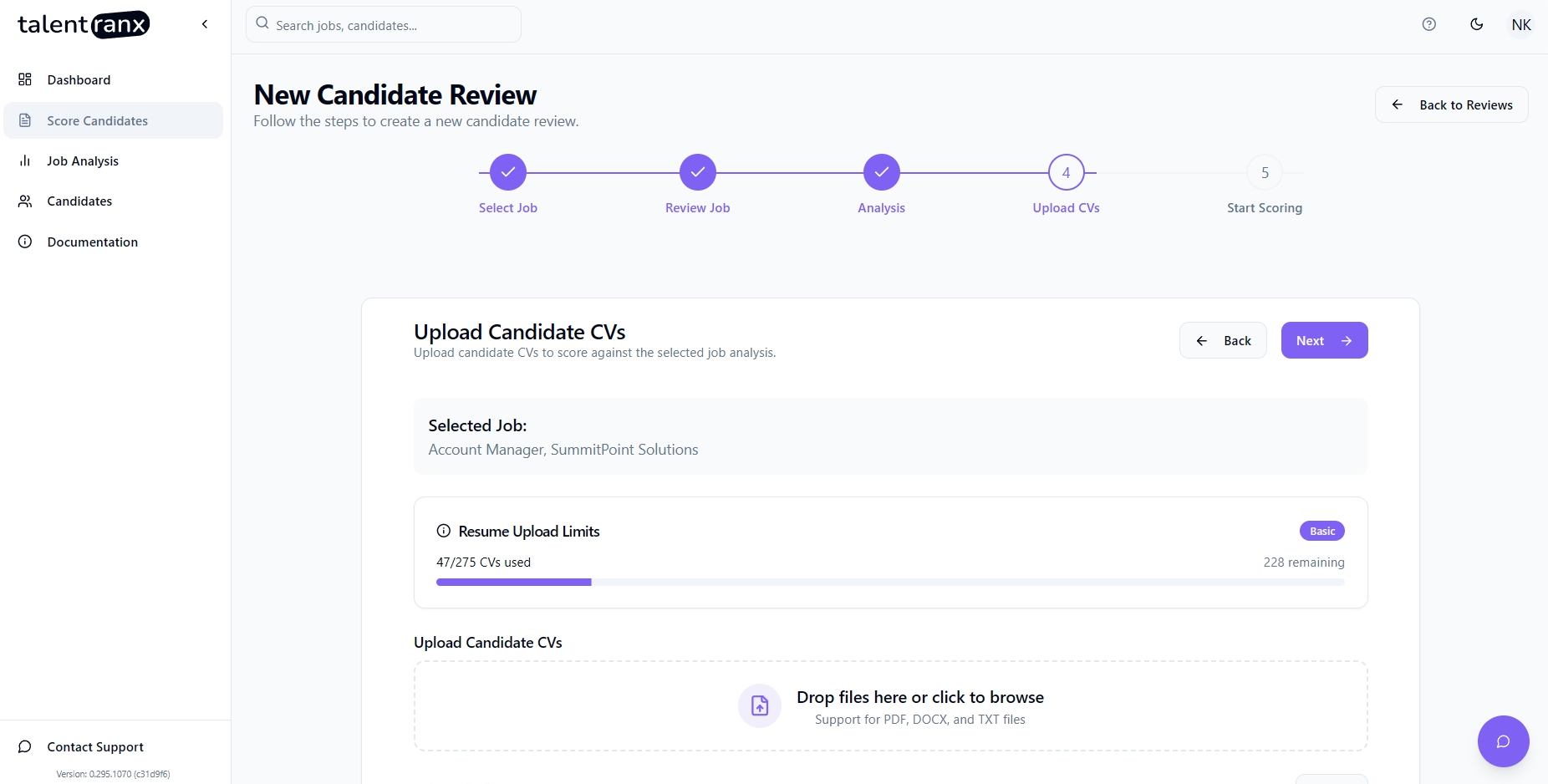
- Select Add CV files and choose one or more PDF, DOCX, or TXT CVs. Files are read in your browser; the original files are not uploaded.
- Review the file list, removing any file you do not want to score, then select Start Scoring.
Follow scoring progress
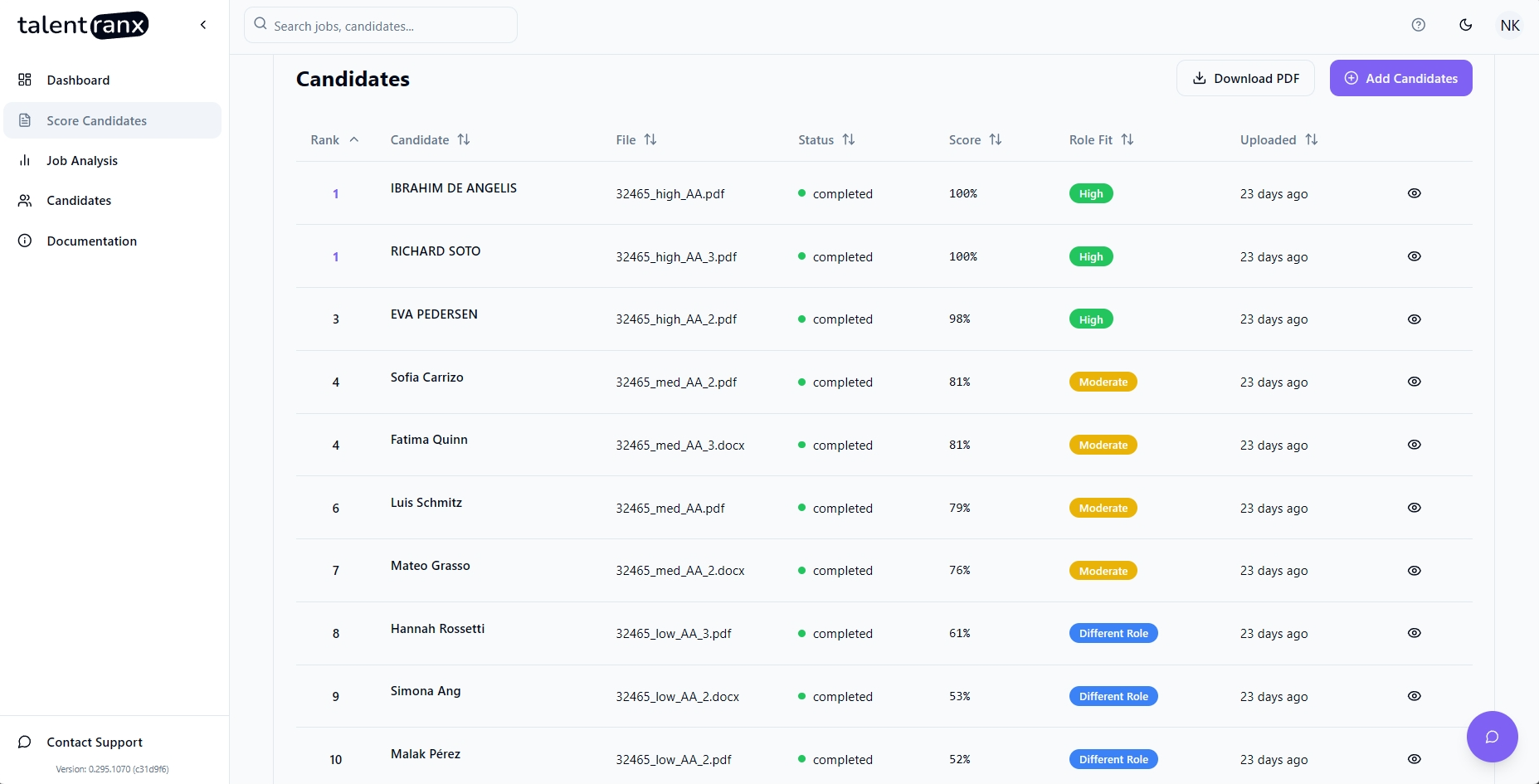
The review page shows each candidate's rank, extracted candidate name, source file, status, score, role fit, and a control to open the assessment.
- New files are pending, then move to processing, and finally completed.
- Pending means the candidate has not started scoring.
- Processing means the assessment is in progress.
- Completed means the assessment is available to open.
- Error means scoring could not complete. The row displays an error message and provides a retry action where the resume can still be retried.
- Completed candidates are ranked by score; candidates still in progress are not ranked.
- You can view a completed assessment while other candidates are still being processed.
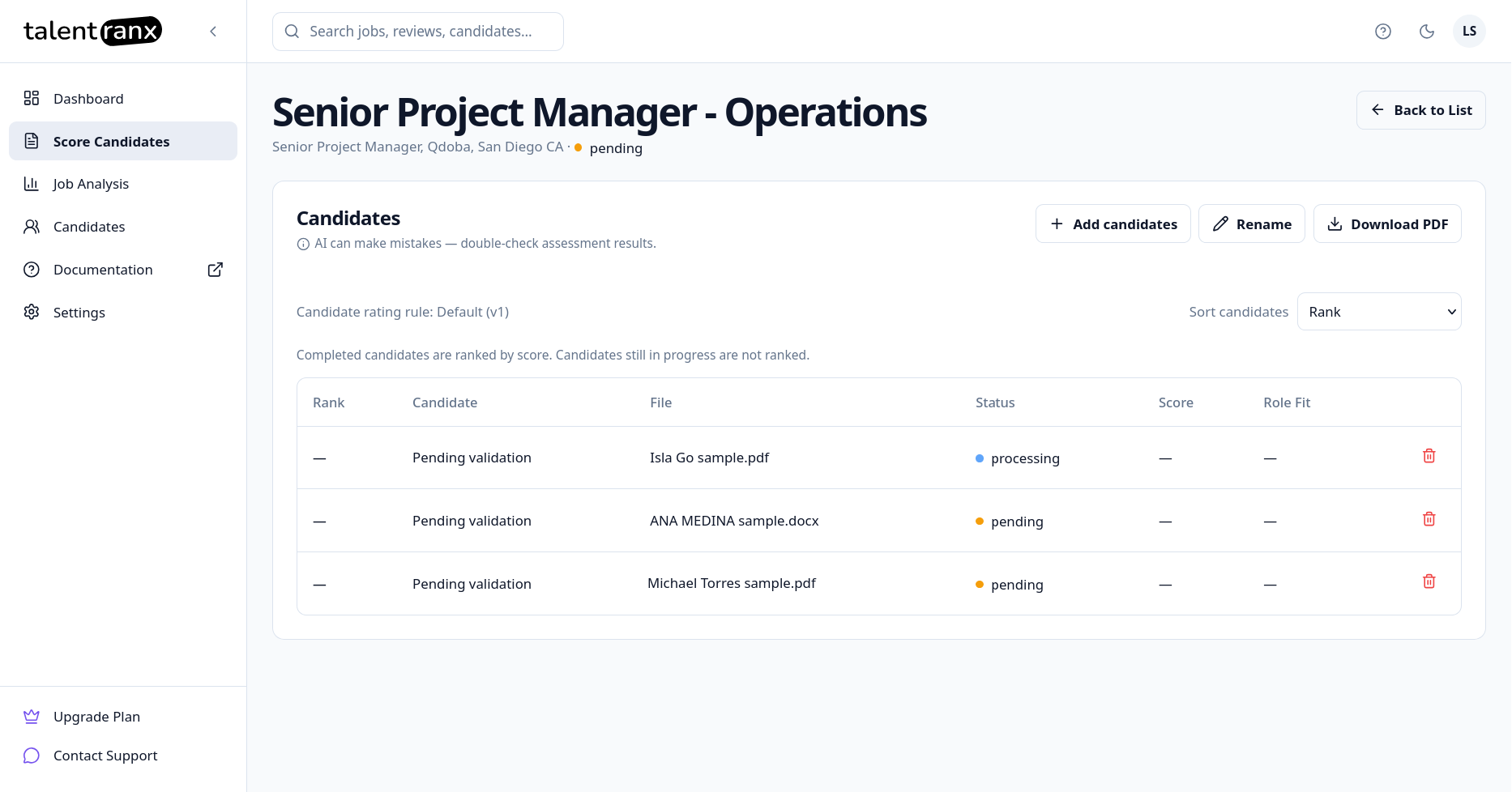
You can leave the review while scoring continues. Return through Score Candidates to see its current progress and completed results.
When all scoring processing finishes, the value of every row's status column will show as completed (or possibly as an error) and candidate will have a score and Role Fit badge. From here:
- Select Add candidates to add more CVs to the same review.
- Use Rename to change the review name
- Download PDF to export the ranked review.
Important notes
- Check AI-generated assessments before making a hiring decision.
- Use one analyzed job and one rating rule per comparable candidate group.
- Uploaded files must contain extractable text; image-only documents may not produce a usable assessment.