Settings
Select Settings in the sidebar to manage candidate rating rules and your organisation. These are shared controls, so they are normally used less often than the recruitment workflow.
Candidate rating rules
Candidate rating rules turn assessment scores into role-fit labels and colours. The default rule uses these bands:
- Limited: 0–49 — red
- Potential: 50–69 — orange
- Strong: 70–84 — green
- Excellent: 85–100 — dark green
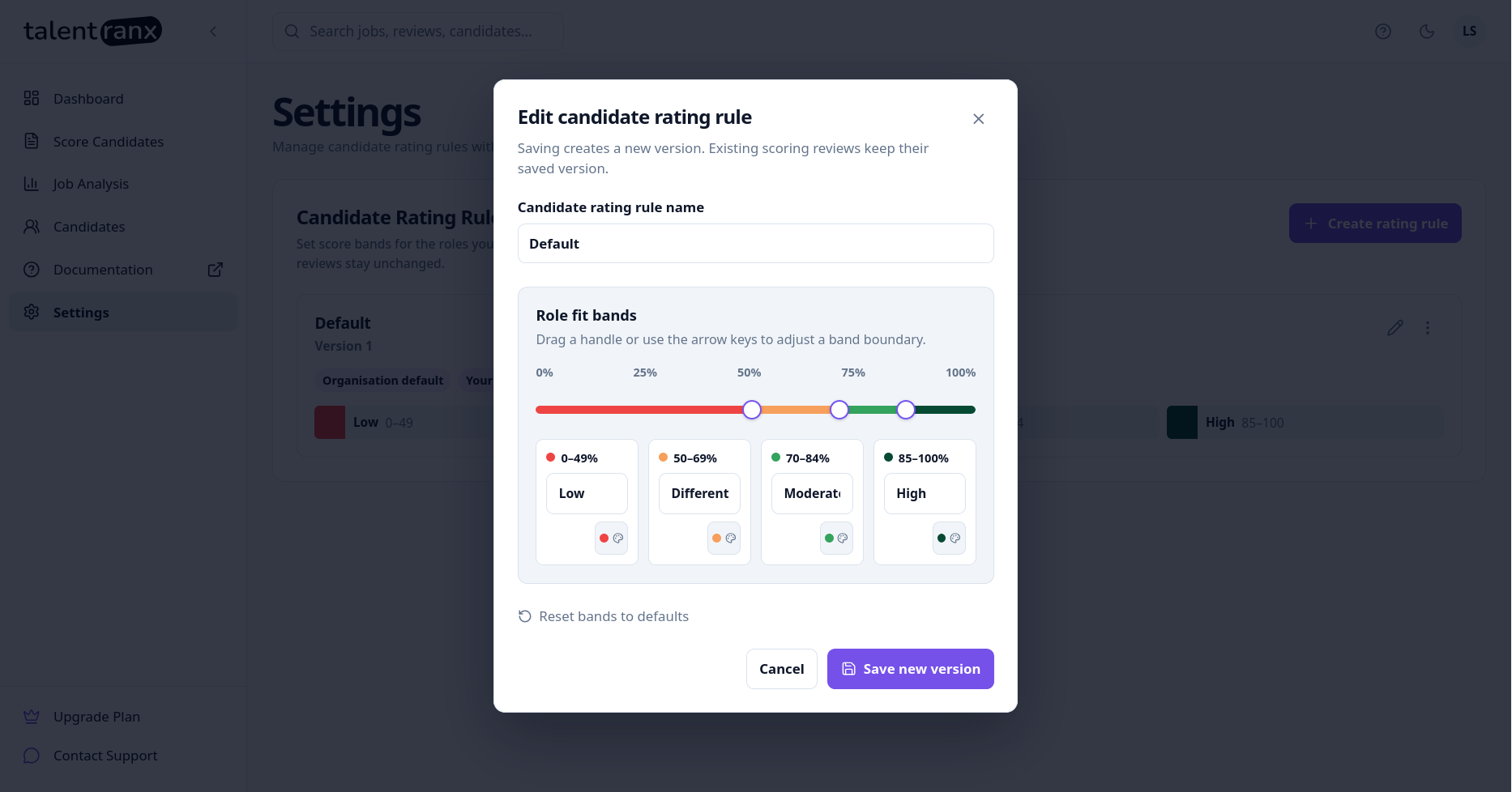
You can tailor a rule to your hiring process. For example, a specialist role may use a broader top band where scarce experience is particularly valuable. The rule selected for a review is saved with that review, so later changes do not alter historical assessments.
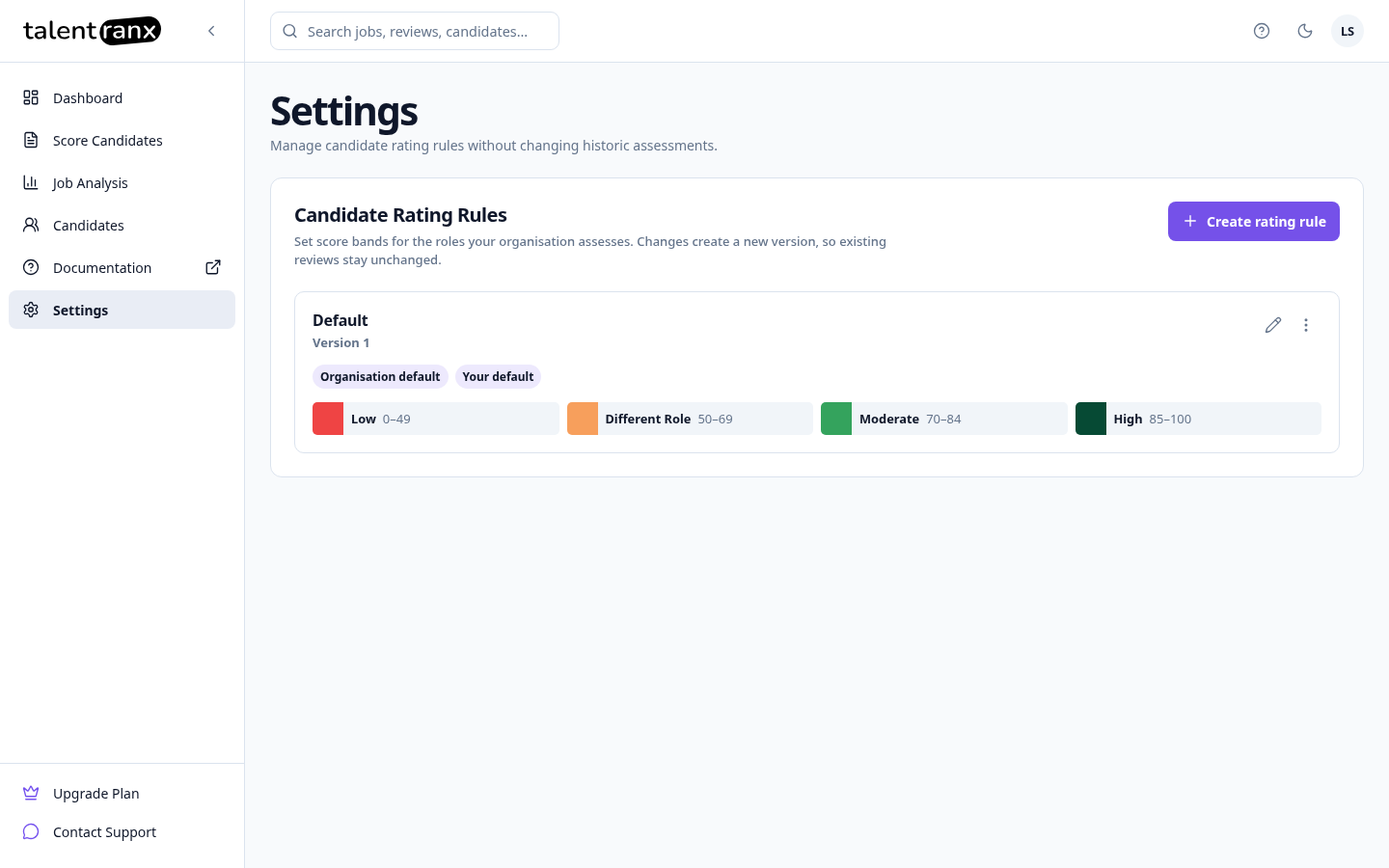
- Review existing rule versions and their score bands.
- Select Edit to create a new version from an existing rule.
- Select the More options menu (
⋮) to set a rule as the default for your organisation or for yourself.
Editing a rule opens a window where you can set score ranges, labels, and colours.
Organisation management
An organisation is the shared home for its job analyses, candidate-scoring reviews, candidate results, and candidate rating rules. The organisation selected in your account menu controls the data shown throughout Talentranx.
Roles and permissions
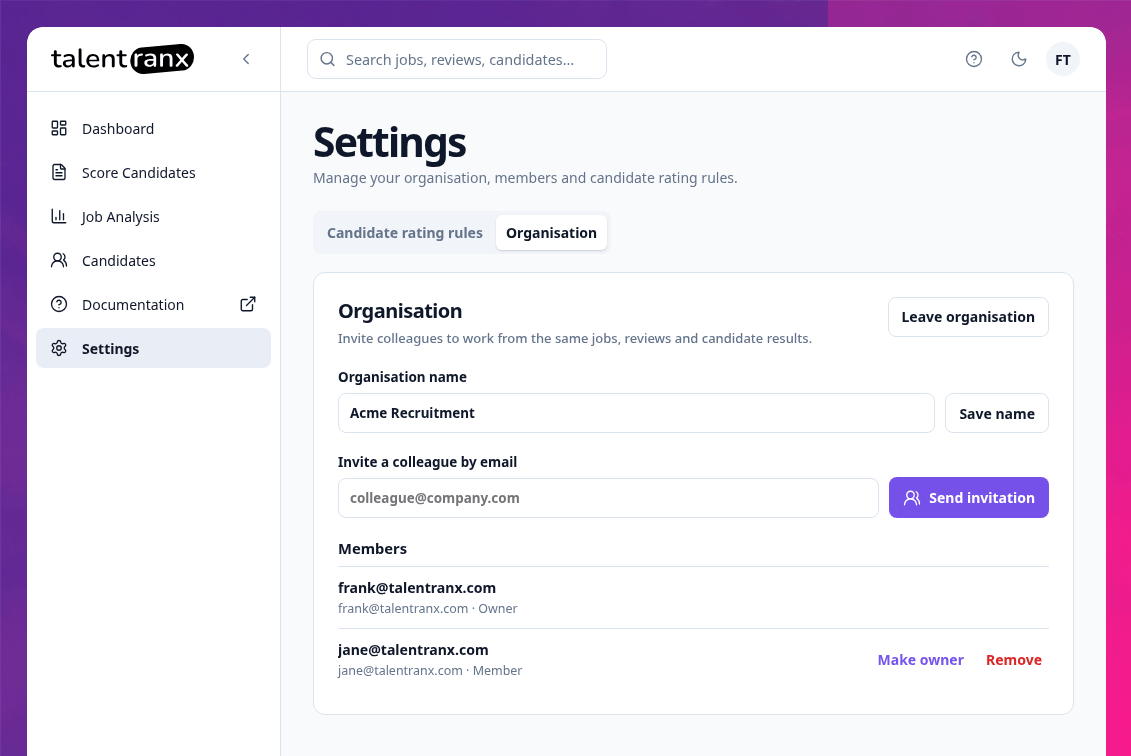
- Owner — can rename the organisation, invite members, resend or revoke invitations, remove members, and change member roles. An organisation must always have at least one owner.
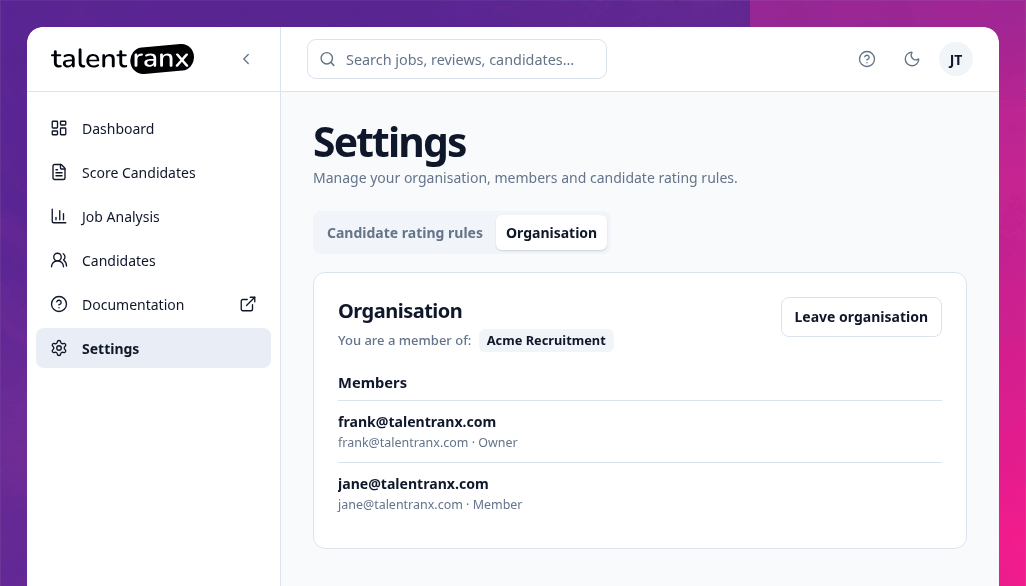
- Member — can analyse jobs and score candidates in the organisation, but cannot change its name, membership, invitations, or roles.
The trial and its assessment allowance belong to the organisation, not to an individual member.
Owners: rename, invite, and manage members
Owners open Settings → Organisation to rename the organisation, enter a colleague's work email address, and select Send invitation. An invitation remains in Pending invitations until it is accepted. Owners can resend an invitation if it has not arrived or revoke it when it is no longer needed.
Owners can also remove a member or change their role. Transfer ownership to another member before removing, demoting, or deleting the account of the final owner.
Members: view or leave an organisation
Members can view the organisation and its members from Settings → Organisation, but cannot change the organisation's administration. A member can select Leave organisation to remove their access to its shared data. This does not affect any other organisations they belong to.
Join and switch organisations
An invited colleague opens the Join organisation link and signs in with the email address that received the invitation. After acceptance, they can access the organisation's shared jobs, reviews, candidates, and rating rules.
If you belong to more than one organisation, select another one from the account menu in the top-right corner. Dashboard metrics, jobs, reviews, candidates, rating rules, and the assessment allowance then reflect the selected organisation.