Managing Jobs
A job analysis turns a job ad or description into a reviewable set of candidate requirements. You can reuse an analysed job when creating later candidate-scoring reviews, so comparable candidates are assessed against the same requirements.
Create a job analysis
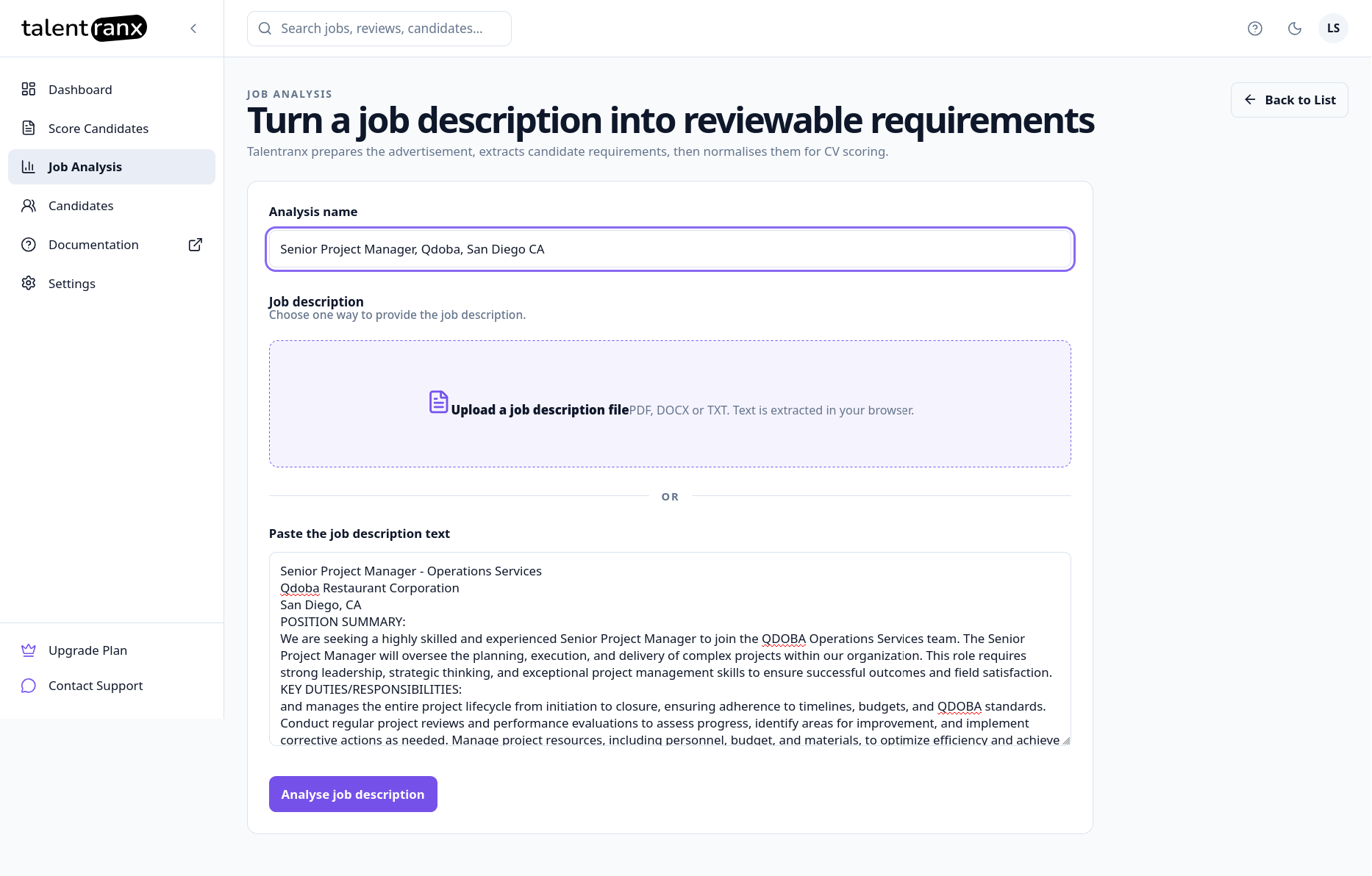
- In the sidebar, select Job Analysis.
- Select New Job.
- Optionally enter an Analysis name. If the job text contains a title, Talentranx uses that title for the saved analysis.
- Add a job ad or description in either of these ways:
- Paste the full text into Job description.
- Select Upload a job description and choose a PDF, DOCX, or TXT file. Text is extracted in your browser.
- Select Analyse job description.
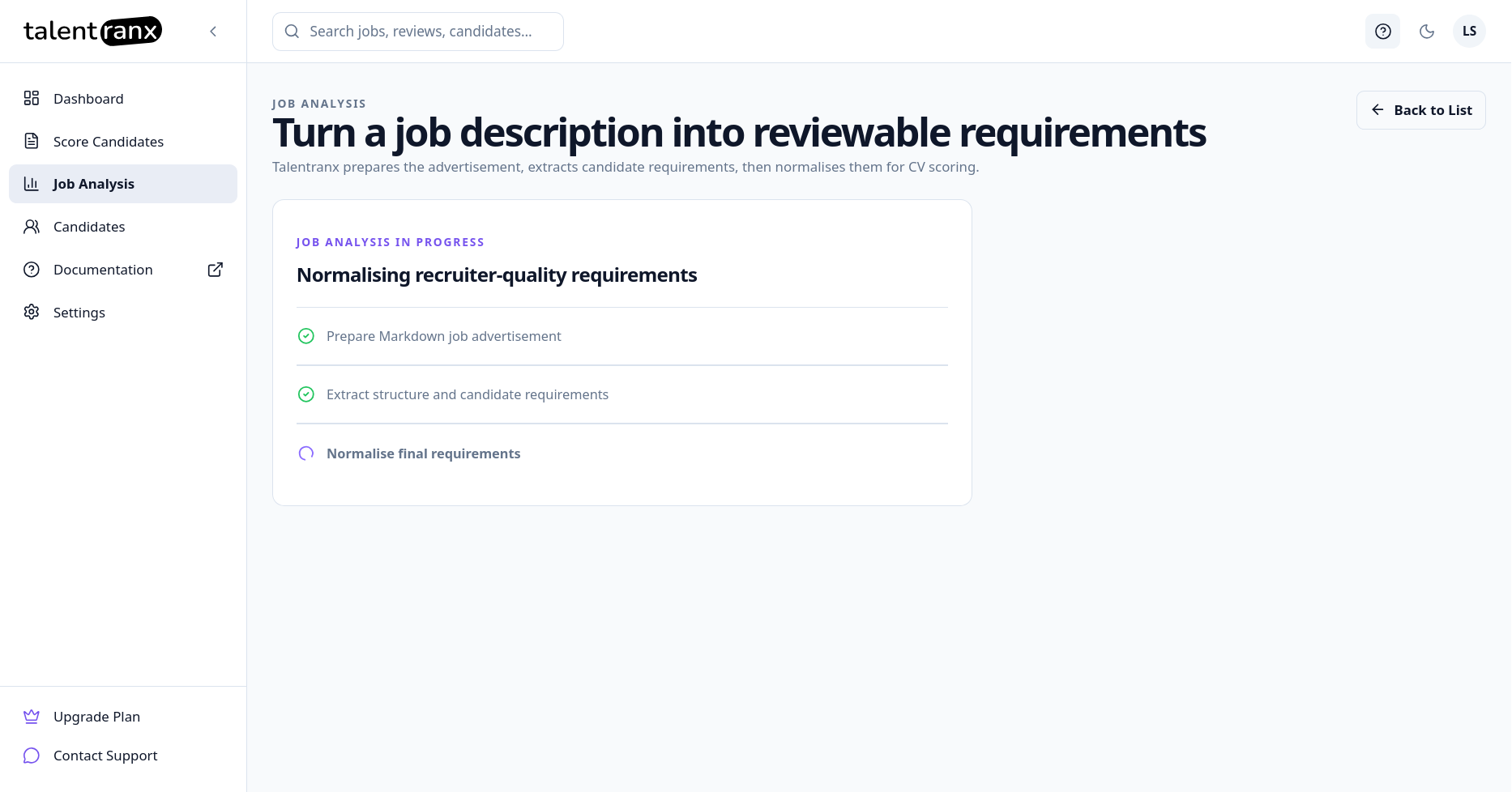
Talentranx prepares the source text, extracts candidate requirements, and normalises them for CV scoring. The analysis page opens when this finishes.
As the job is processed, a page with the status of each step is displayed. This will take a few seconds to process completely.
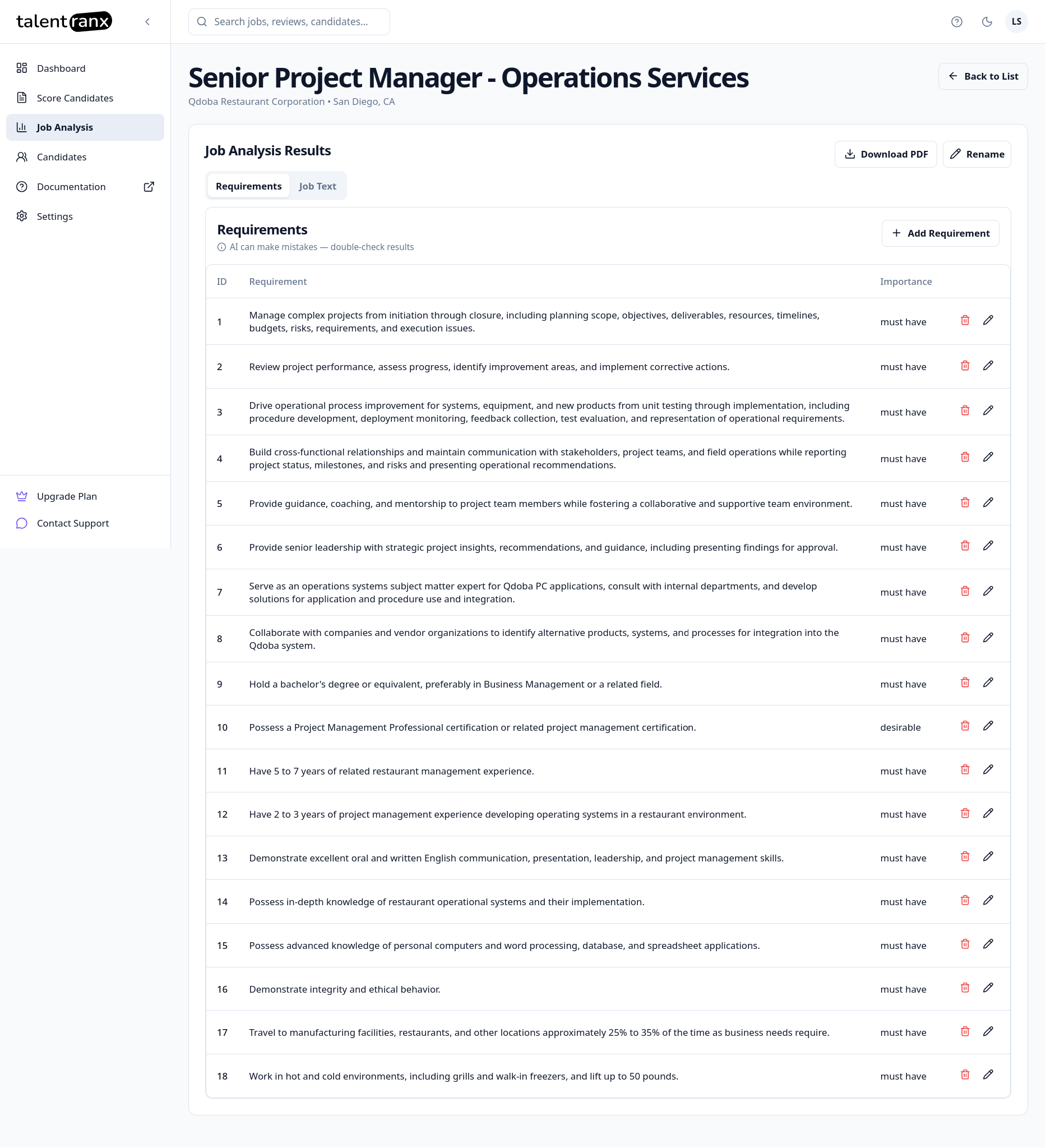
Job analysis results
The Requirements tab lists each extracted requirement, its importance and priority.
- Importance answers "How explicitly necessary is this requirement?" and is usually set by the employer. Values are Must Have, Desirable, or Bonus.
- Priority answers "How central is this requirement to successful performance in the role?". Values are Core, Supporting, or Additional.
Importance and priority are different
Importance and priority as assigned as part of the job analysis. It's usually fairly logical but this is something you should quickly check to ensure they aligned with expectations.
Importance and priority help distinguish transferable experience from direct role experience. A candidate from an adjacent role may demonstrate many relevant capabilities and score well against individual requirements. Examples here include Project Manager and Operations Manager, Account Manager and Customer Success Manager, Financial Accountant vs Management Accountant. In each of these, candidates with strong transferable experience in one role may rate highly for the other adjacent role but would not normally proceed to interview.
For example, a Senior Product Manager role might require a bachelor's degree and the ability to develop a product strategy. Developing product strategy would be a Must Have, and logically be a Core priority because it is central to the work the person will perform in the role. However, the degree requirement might be assessed as a Must Have, because the employer has explicitly made it a requirement and the priority would be assigned as Additional because holding the degree provides relatively little evidence that someone can perform the role.
Some common combinations of importance and priority are listed below:
- Must Have + Core — required and central to successful performance.
- Must Have + Additional — required, but less central to successful performance.
- Desirable + Core — not strictly required, but strongly relevant to successful performance.
Again, requirements that are Core to the target role have greater influence on overall suitability.
Treating importance and priority as separate allows transferable experience to receive appropriate credit without making it equivalent to direct experience in the role’s central responsibilities. Review both attributes independently rather than assuming that every Must Have requirement should also be Core.
Priority values
Core
Central to successful performance in the role. These requirements represent the role's primary responsibilities or capabilities and provide strong evidence of whether a candidate can perform the role successfully.
Supporting
Important to successful performance, but secondary to the role's core responsibilities. These requirements contribute meaningfully to the role without defining its primary purpose.
Additional
Relevant to the role, but less central to successful performance. These requirements provide useful supporting information but have less influence when distinguishing between stronger and weaker candidates.
As always, results should be checked before they are used for scoring.
Adding, changing and deleting job requirements
You can:
- Select Add Requirement to add one that was not captured.
- Use the edit control beside a requirement to change its wording or importance.
- Use the delete control beside a requirement to remove it.
- Open the Job Text tab to review the source job ad or description.
- Select Rename to change the analysis name.
Use Download PDF to export the job analysis.
Reuse a job analysis
When starting Score Candidates, select Use analysed job, then choose the saved job from the Analysed job list. This keeps the same requirement set for every CV in that review.
Manage saved analyses
The Job Analyses list shows the title or name, company, location, creation date, and available actions. Select an entry to reopen it and review its requirements.
Tips
- Paste the complete job ad or description, including responsibilities and qualifications, for the most useful requirement extraction.
- Review the generated requirements and their importance before starting a candidate review.
- Create a separate analysis when a role’s requirements materially change; existing reviews retain the job and rating-rule snapshot used when they were created.