Getting started: Sign-up and login
Talentranx uses passwordless sign-in. New users can start immediately, and invited users can join the organisation that invited them.
Sign in
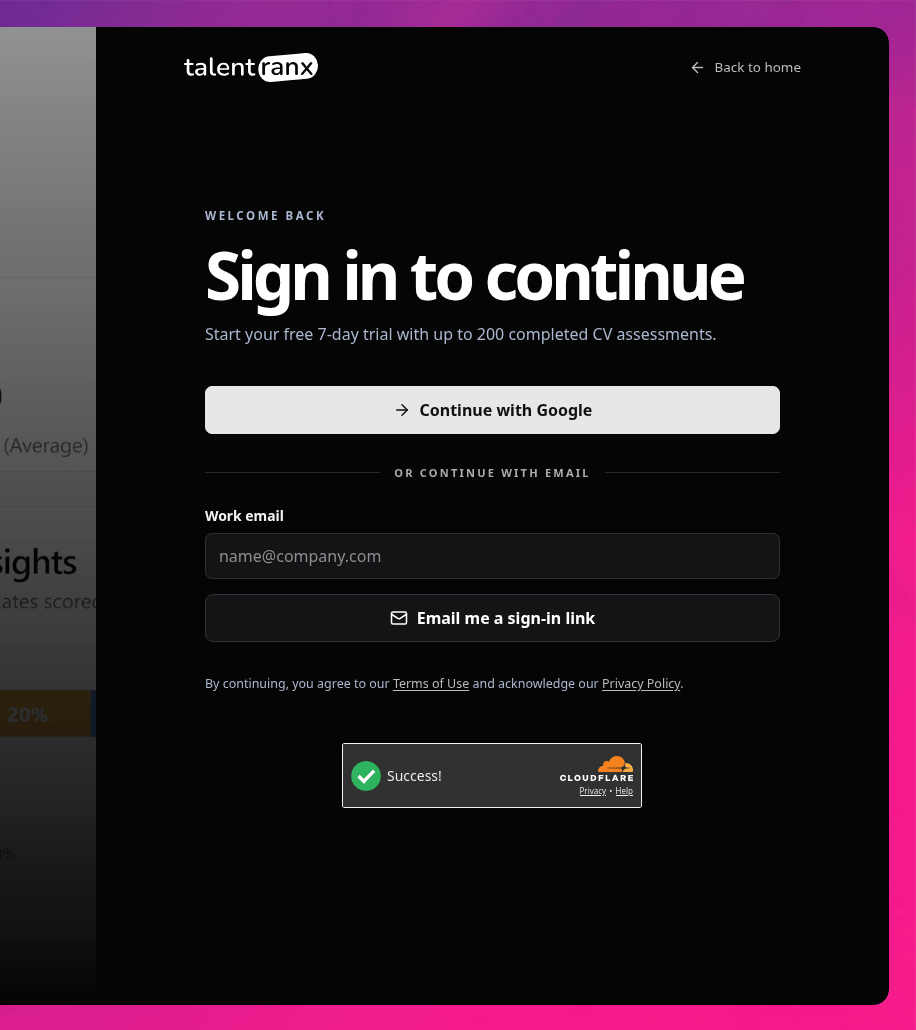
- Open the Talentranx sign-in page.
- Choose Continue with Google, or enter your work email address.
- Complete the security verification when it is shown.
- For email sign-in, select Email me a sign-in link and open the secure link sent to that address.
- The Dashboard opens after you sign in.
Talentranx does not use passwords. A first-time user who signs in directly receives a new organisation and immediate access to the 7-day trial, including up to 200 completed CV assessments.
Join an invitation
If an organisation owner invites you, open the Join organisation link in the invitation email. Sign in with the invited email address using Google or an emailed sign-in link. Talentranx then adds you to that organisation directly.
The invitation must be accepted with the email address it was sent to. If you use another account, sign out and use the invited address instead.
After sign-in
Use the account menu in the top-right corner to confirm the signed-in account, switch display mode, select another organisation when you belong to more than one, or sign out. Settings in the sidebar provides candidate rating rules and organisation management.