Navigating the Dashboard
The TalentRanx Dashboard gives you a real-time overview of your recruitment activity, helping you track progress, review recent results, and quickly move to candidate scoring.
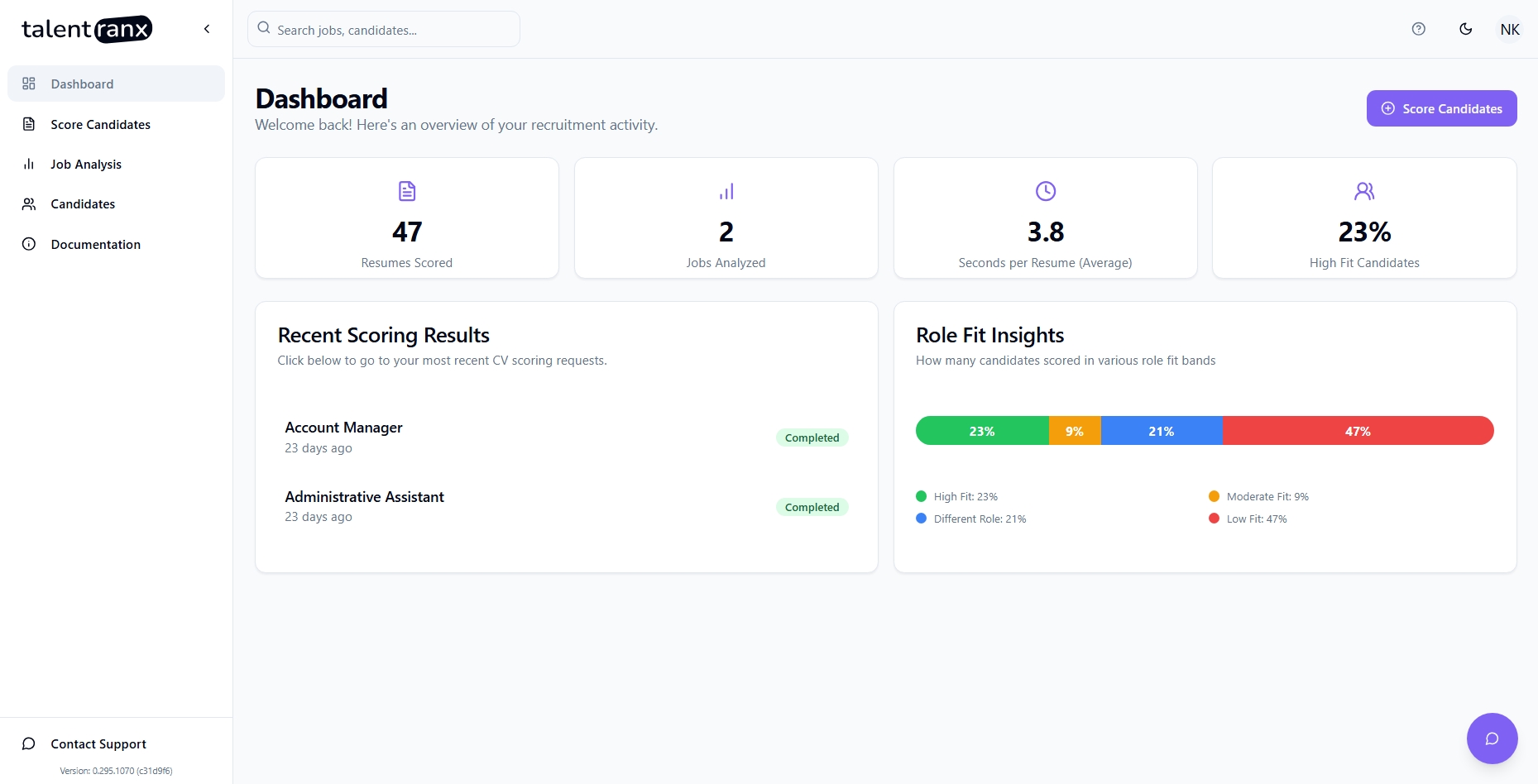
Dashboard Overview
When you log in, the Dashboard is your landing page. Here’s what each section shows:
Key Metrics
- CVs Scored – Total number of candidate CVs you have processed.
- Jobs Analyzed – The number of job descriptions uploaded and analyzed.
- Seconds per CV – Average time taken to process each CV.
- High Fit Candidates – Percentage of candidates classified as “Strong Hire” or equivalent.
Recent Scoring Results
- Displays your recent scoring requests - if this was a bulk request, then this will indicate whether it has been completed or is still in progress.
- Shows the job title (e.g., “Product Lead”), when the scoring was run, and its completion status.
- Status indicators: Completed, In Progress, or Error.
- Clicking on a job title listed here will take you to its scoring results.
Scoring Insights
- Visual breakdown of candidates into role fit categories (ie; High, Moderate, Low or suited to a Different Role).
- Quick snapshot of your candidate quality distribution.
Quick Actions
- Score Candidates (top-right button) – Start a new CV scoring process immediately.
- Search Bar (top navigation) – Find jobs or candidates across your account quickly.
Tips
- Keep an eye on High Fit Candidates to track the effectiveness of your recruitment sources.
- Click on any recent scoring result to view the full candidate breakdown.