Understanding Candidate Scores & Role Fit
After scoring is complete, TalentRanx presents an overall score and a role fit category for each candidate. All candidates are assessed against every job requirement.
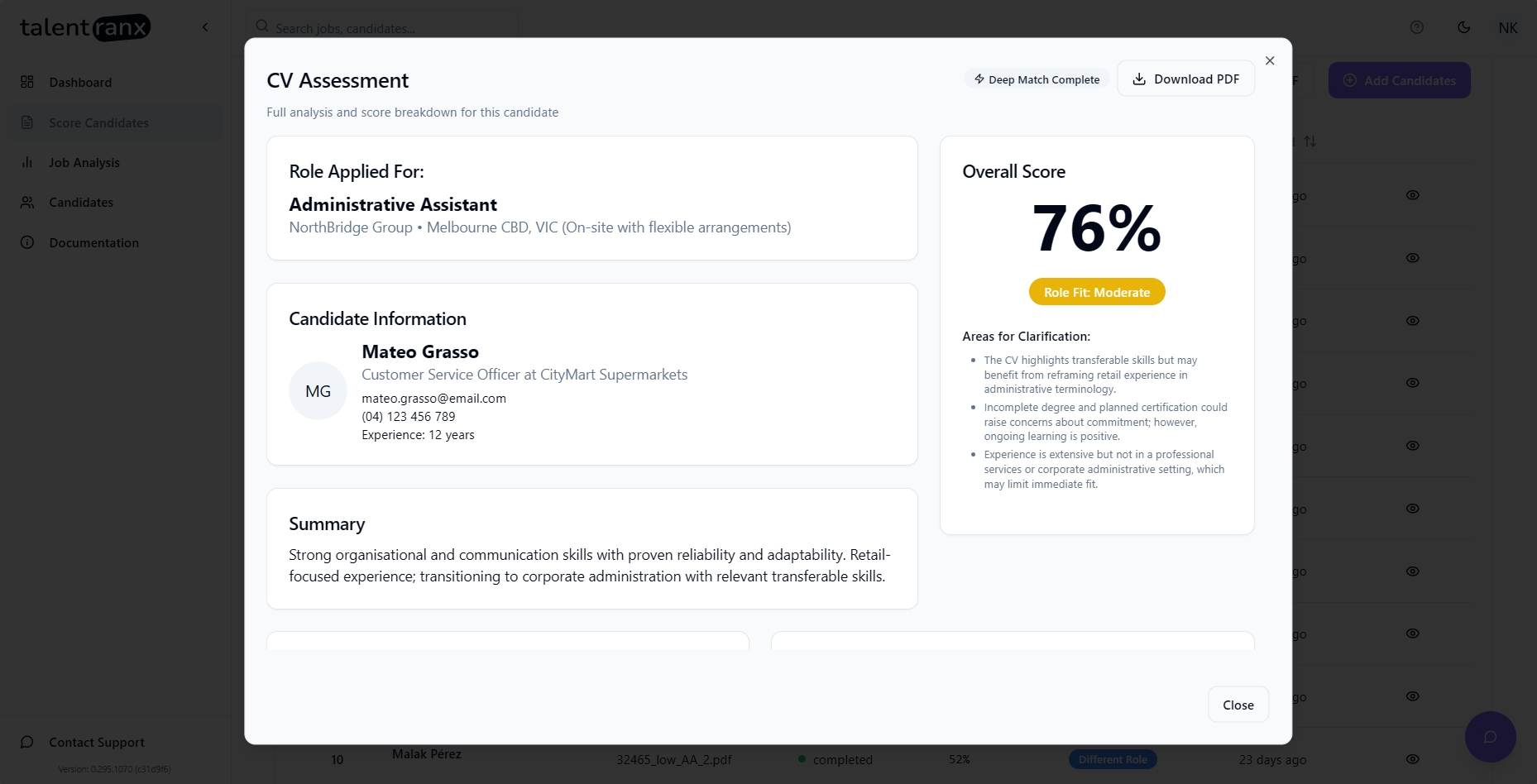
Overall Score
The Overall Score is expressed as a percentage and represents how closely the candidate’s resume matches the job requirements.
- Each requirement is scored out of 10
- All requirement scores are multiplied by a 'weight' corresponding to the requirement's importance ie; Must Have, Desireable or Bonus
- These are then summed and converted to a percentage of the maxium score possible ie; the Overall Score
- The Overall Score is then mapped to ranges of scores to determine the Role Fit.
Areas for Clarification
- When viewing results, near the large score of a candidate you may see text under the heading Areas for Clarification
- These points flag potential concerns such as gaps, frequent job changes, unclear or unrelated experience, spelling/formatting, excessive jargon, over qualification, or signs the candidate may not align with the role's responsibilities, culture, professionalism, etc.
- These are for your further consideration and if necessary, follow up discussion with the candidate.
Role Fit Categories
- High – Strong alignment with the role’s key requirements and expectations. Scores 85% and above.
- Moderate – Meets many requirements, though some gaps may need support or training. Scores between 70% to 84%.
- Different Role – Skills or experience align more closely with a different role or function. Scores between 50% to 69%.
- Low – Minimal alignment with the requirements for this role. Scores below 50%.
Requirements Matching
All candidates resumes are matched against every job requirement for a role and this deep match is available as part of the candidate's assessment. For any job requirement, supporting text or data from the candidate's resume has been found and scored out of 10. Ratings are:
- Met (scoring 8 to 10) – Clear evidence, strongly or expertly demonstrates the requirement.
- Partial (4 to 7) – Shows some or indirect evidence of the requirement, but with gaps or limits.
- Not Met (0 to 3) – Provides little to no relevant evidence of the requirement.
Exporting Reports
For all assessed candidates, you can:
- Download PDF – Generates a PDF of the assessment for sharing with stakeholders.
Tips
- Look beyond the score—review summaries and evidence for context before making a decision.
- Combine scores with your own interview and reference checks for a complete picture.