Generating PDF Reports
You can generate PDF reports from multiple points in the platform. These reports are useful to take into interviews, for sharing with stakeholders, keeping records, and supporting evidence-led recruitment decisions. PDF reports can be generated for:
- Candidate assessment results for all roles theyhave applied for
- Job Analysis requirements
- Ranking of applicants sassessed for a role
Candidate Assessment PDF Reports
You can access candidate results from either the assessment results for a job or if you known the candidate's name, directly from a list of all candidates.
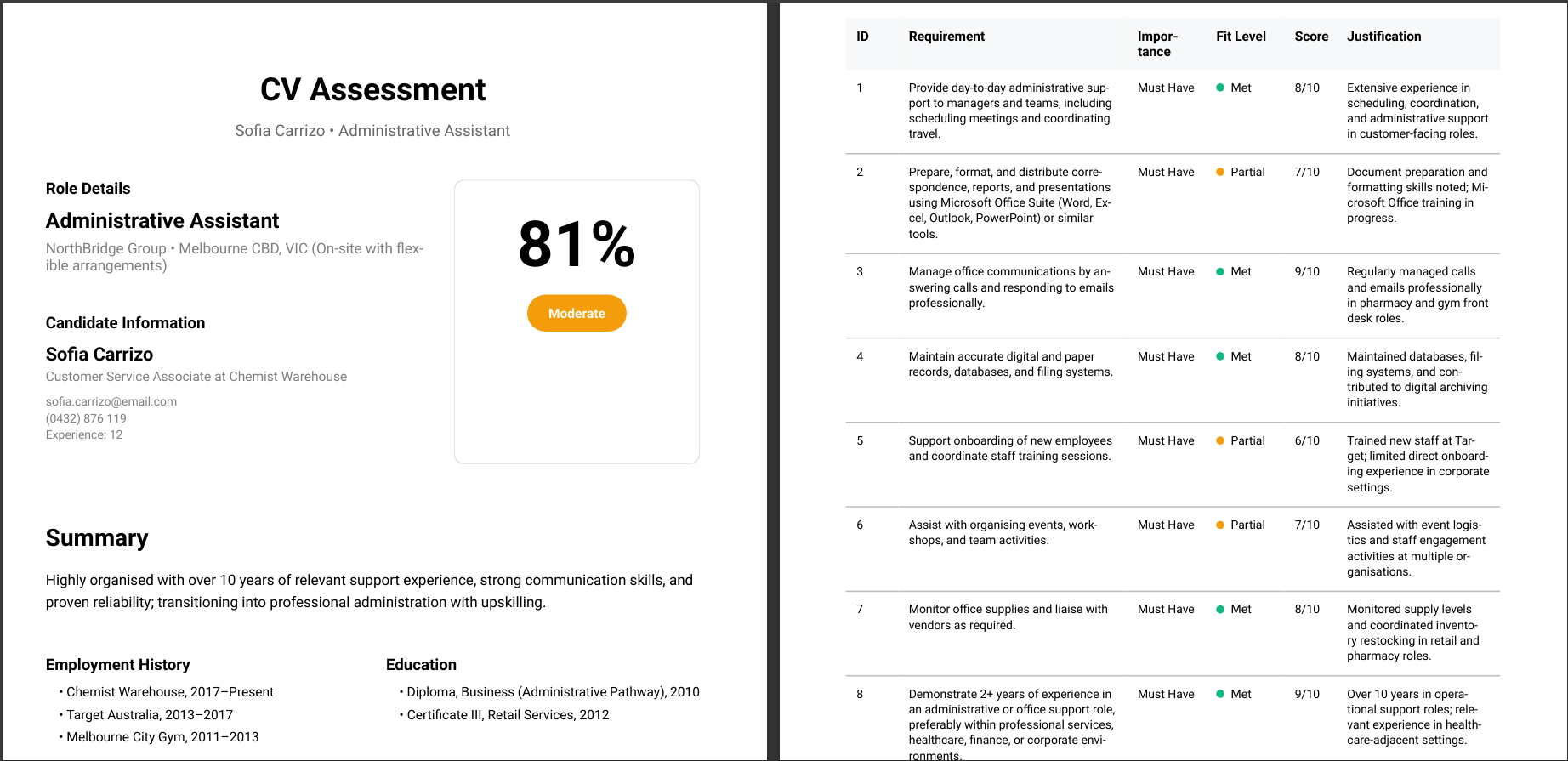
From assessment results:
- Navigate to Score Candidates in the sidebar and a list of all scored roles will be displayed.
- Click the review you're interested in
- Then click the candidate you're after
- In the assessment view, click Download PDF (top-right).
-
A PDF will be generated containing:
-
Overall score and recommendation.
- Candidate profile information.
- Summary and areas for clarification.
- Employment history and education.
- Requirement-by-requirement analysis.
From the candidate view:
- Navigate to Candidates in the sidebar.
- Click the candidate’s name, then select the specific assessment from their history (if they have applied for multiple roles).
- In the assessment view, click Download PDF (top-right).
- The same PDF will be generated as outlined above.
Exporting a Job Analysis Report
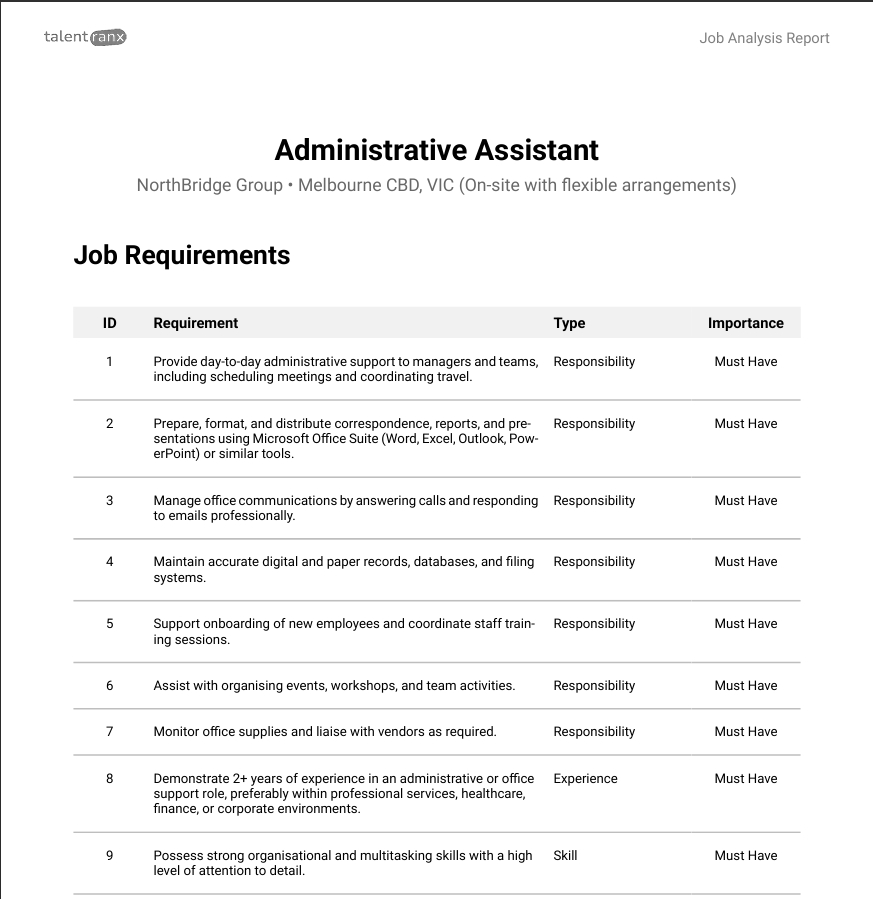
- Go to Job Analysis in the sidebar.
- Select the job you want to export requirements for.
- Click Download PDF (top-right).
-
The PDF includes:
-
Full job description text.
- All extracted requirements with importance levels and types including manual edits or added requirements.
- The job ad or description text with individual requirements highlighted.
Exporting a Scoring Ranking Review
This provides a ranked list of candidates, their key contact details, assessment score and summary of the assessment for a role that has been scored.
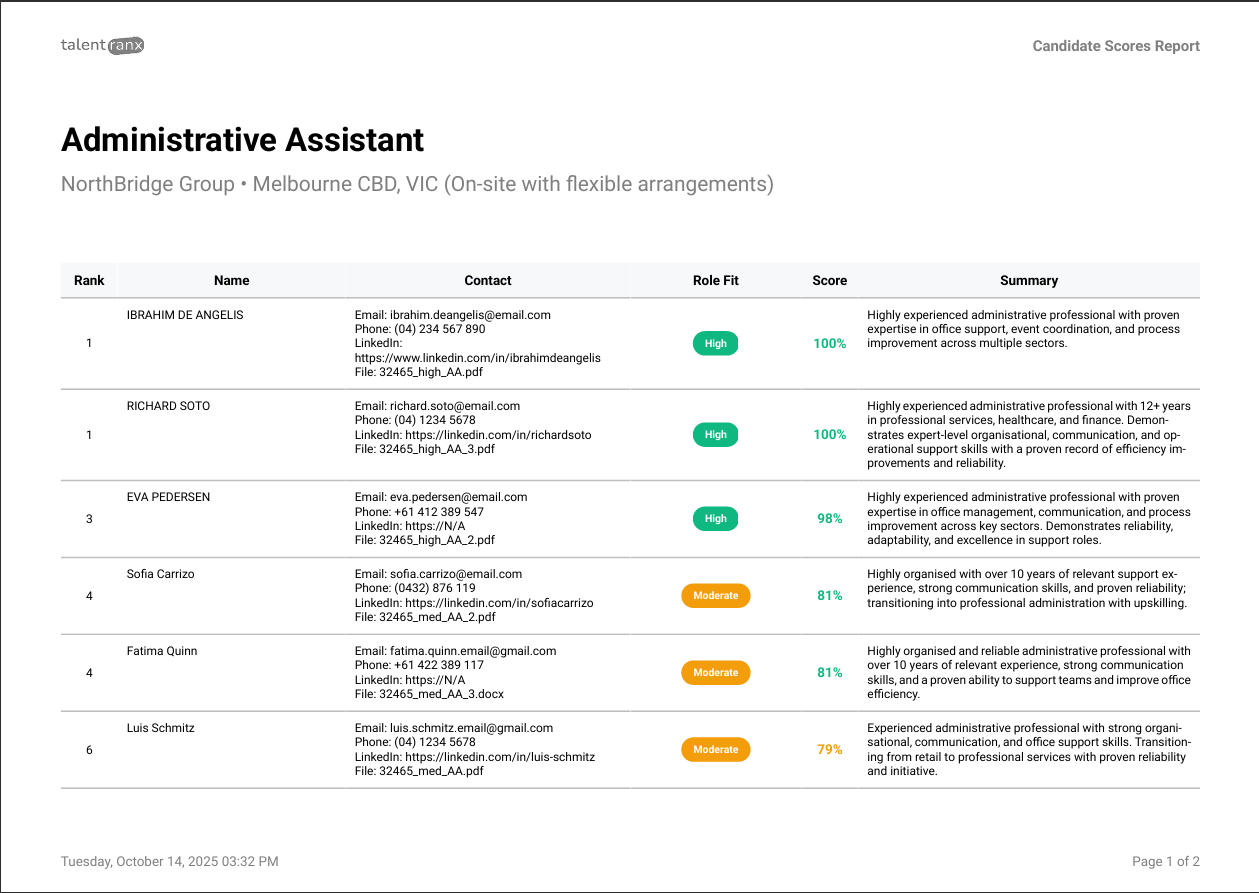
- Go to Score Candidates and select the completed scoring review.
- In the results view, click Download PDF (top-right).
-
The PDF contains:
-
Job title, company and location in the title
- Ranked list of all candidates with scores and recommendations ie; from top to lowest score
- Each candidate has their name, contact details, their assessed fit for the role, score and summary paragraph.
Tips
- PDFs are generated immediately and downloaded automatically, ready to share or store.
- Use the ranking review export to provide hiring panels with an at-a-glance shortlist.
- Job analysis reports are useful when drafting a job ad or description to ensure key requirements have been captured.