Managing Your Profile & Subscription
This guide explains how to view and update your personal information, check your account status, and manage your subscription plan in TalentRanx.
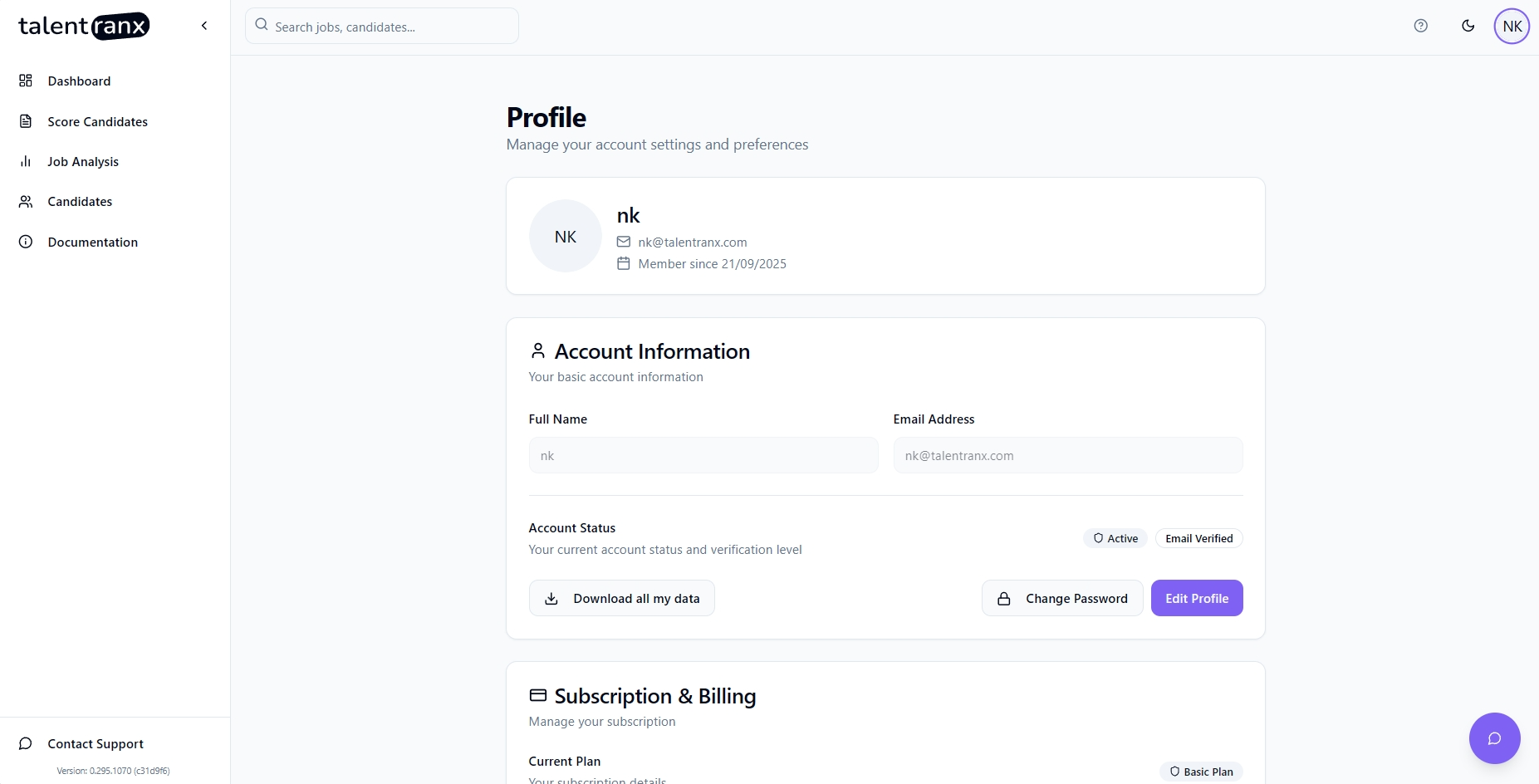
Accessing Your Profile
-
Log in to TalentRanx Sign in using your preferred method.
-
Open the Profile Page Click your profile icon in the top-right corner and select Profile.
Updating Account Information
On the Account Information section, you can:
- Full Name – Update your display name.
- Email Address – View the email address used to log in. Note you can't change this.
- Account Status – View whether your account is active and if your email is verified.
Actions you can take here: * To make changes, click Edit Profile, update your details, and save. * Change Password – If you have logged in using email/password then you can change your password here. * Download all my data – This will download a zip file containing a CSV file you can import to Excel or other software to view your data.
Subscription & Billing
The Subscription & Billing section lets you:
-
View Current Plan - See your plan type (Free Trial, Basic, Premium or No Active Subscription if the free trial has ended)
-
Upgrade Plans - you can upgrade to a paid plan from this page.
Delete Account
This will permanently delete your account, cancel your subscription, and remove all your data from our servers.
Tips
- You will need to verify your email immediately after sign-up to use Talentranx - this is a security measure.
- Upgrade before your free trial ends to avoid any interruption in service.
- Check your assessment usage regularly to ensure you have enough for your recruitment needs.