Scoring in Bulk and Tracking Progress
When you start candidate scoring - particularly for a large number of applicants - the system places each resume in a processing queue to ensure you can continue working on other things, step away or even log out, without interrupting the scoring process.
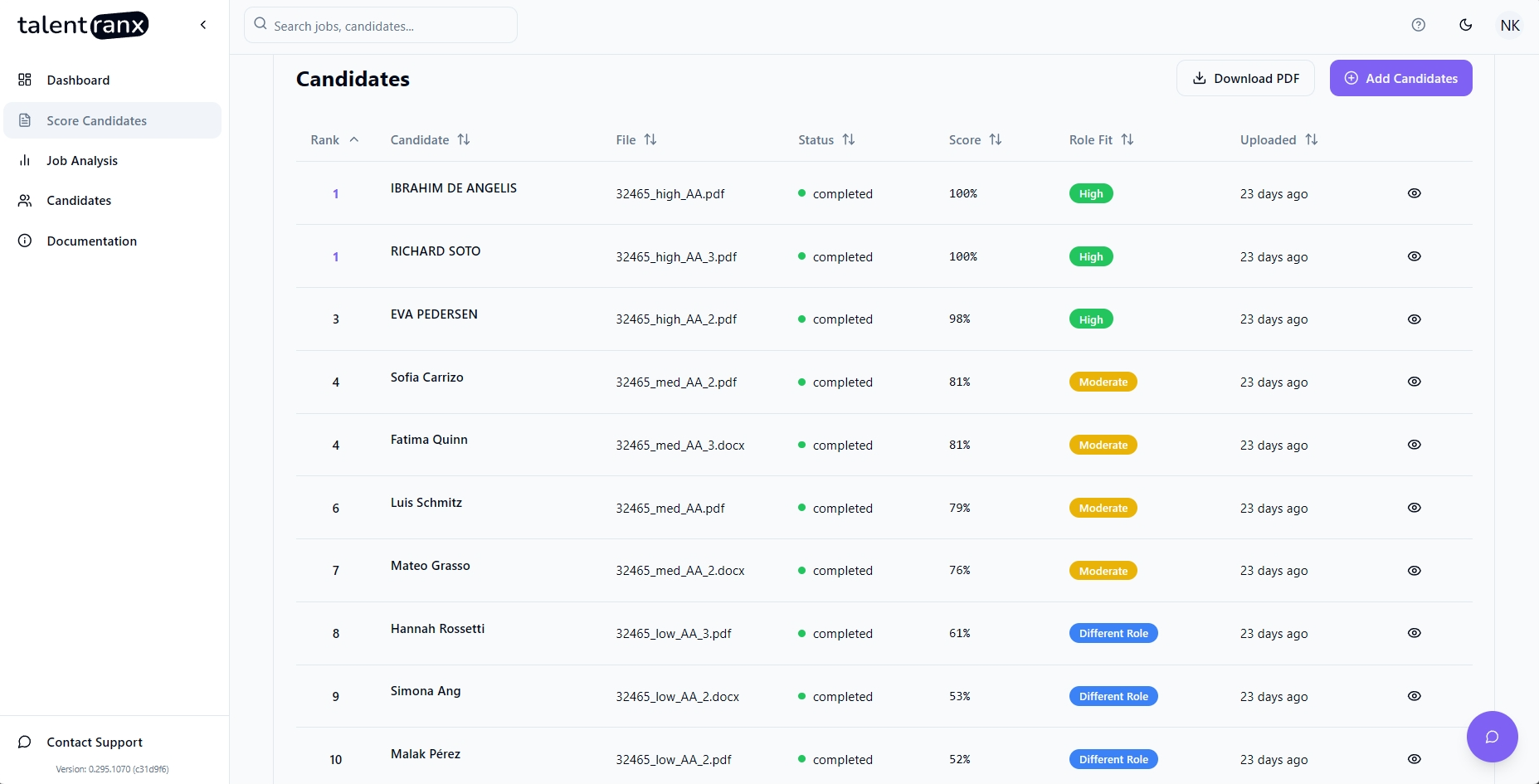
How Queue Processing Works
- Once you click Start CV Scoring, all uploaded resumes are placed in a processing queue.
- Each CV is evaluated against all requirements of the selected job, with results saved automatically as they complete.
-
You can safely:
-
Close your browser.
- Log out of TalentRanx.
- Turn off your laptop.
The system will continue scoring until all resumes are processed.
Tracking Progress
You can monitor the status of in-progress scoring jobs in two ways:
-
From the Dashboard
-
The Recent Scoring Results panel shows the latest reviews and their completion status (Completed, In Progress, Error).
-
Scoring Insights give you a quick view of the distribution of recommendations so far.
-
From the Score Candidates Page
-
Click on Score Candidates in the sidebar.
-
Open the relevant scoring review to see:
- How many CVs are complete.
- Which are still processing.
- Real-time updates to scores and recommendations as they finish.
Understanding Status Indicators
- Pending – The resume is in the queue to be scored
- Processing – The CV is being evaluated.
- Completed – The CV has been fully scored and the results are ready to view.
- Error – The system could not process the CV. This could be an issue with the resume or a system error.
Tips
- For large batches, check back later rather than waiting for all results to appear immediately.
- If you need instant updates, keep the scoring results view open - status will refresh automatically.
- You can view a candidate's completed results immediately without waiting for the entire batch to finish.